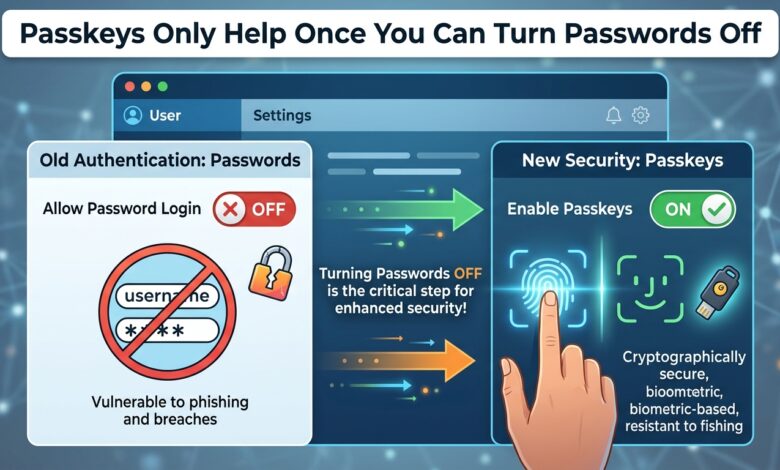
Key takeaway: Phishing resistance comes from the credential being bound to the origin. A passkey provides that and delivers no security benefit while a phishable fallback is still accepted.
Why the Mechanism Works
A passkey is a key pair. The private key stays on the authenticator and the public key is registered with the service. Authentication proves possession without transmitting anything reusable.
The property that matters is origin binding. The browser only presents a credential to the domain it was registered with. A user on a convincing lookalike domain cannot authenticate, because the browser will not offer the credential there — the protection does not depend on the user noticing anything.
That is a categorical improvement over one-time codes, which a user can be persuaded to type into an attacker’s page, and over push approvals, which a user can be worn down into accepting.
The Fallback Problem
Most deployments add passkeys as an additional option. Users who enrol get a faster login. The password still works.
An attacker does not attempt the passkey. They phish the password, or replay it from a breach corpus, and if a second factor is required they phish the code or fatigue the push. The passkey was irrelevant to the attack path.
Worse, account recovery often reintroduces the weakness. If a forgotten passkey can be recovered through an email link and a knowledge question, that flow is the real security level of the account regardless of how the primary credential works.
| Deployment stage | Phishing resistance |
|---|---|
| Passkey optional, password retained | None |
| Passkey required, password as fallback | None |
| Passkey required, phishing-resistant recovery | Substantial |
| Passkey only, hardware key for recovery | Strong |
Sequencing a Realistic Migration
Removing passwords immediately is not viable for a consumer service, and pretending otherwise stalls the whole effort. The workable path is staged.
Begin with the accounts where the value is highest and the population is controllable — administrators and privileged internal users. Require passkeys with hardware key recovery for that group first. It is a small number of people and the largest share of the risk.
Then offer passkeys broadly and measure enrolment. Enrolment is the constraint on everything that follows, and it responds to prompting at the right moment: after a successful login, framed as faster access rather than as security.
Only when enrolment is high enough can you begin removing the password path for enrolled users. That is the step where security actually improves, and every prior step is preparation for it.
The Practical Complications
Passkeys sync through platform accounts, which means the security of the platform account matters. It also means a user’s passkeys may not be available on a device outside that ecosystem, and cross-platform sharing works through QR-code flows that add friction.
Registering multiple authenticators is important. A single passkey on a single device is an account lockout waiting for a lost phone.
Device-bound hardware keys do not sync, which is a feature for privileged accounts and a support problem for general users. Match the choice to the population rather than applying one policy everywhere.
The Bottom Line
Start with privileged accounts, require passkeys with phishing-resistant recovery there, and drive general enrolment before attempting to remove passwords. Recognise that until the password path is closed and recovery is hardened, passkeys have improved convenience rather than security.