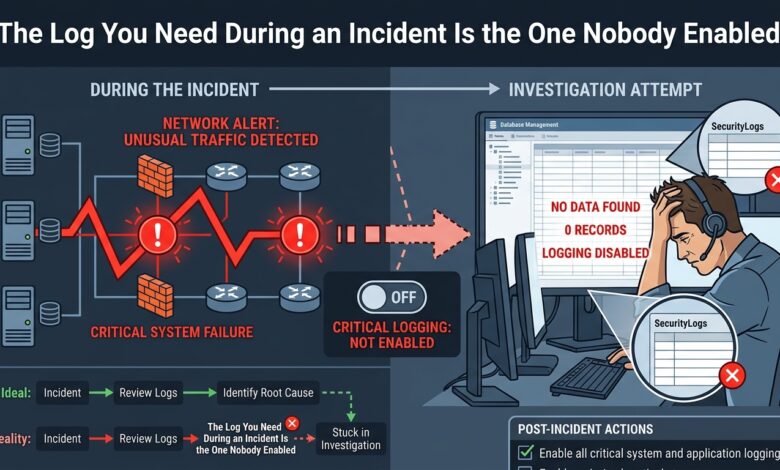
Key takeaway: Cloud providers log management operations by default and object-level access only on request. That gap is exactly where the question “what did they take?” gets answered.
Two Different Log Types
Control-plane events record configuration changes: a bucket policy modified, a role created, an instance launched, a key rotated. These are logged by default and answer what did they change.
Data-plane events record access to the data itself: which object was read, which secret retrieved, which database queried. These are frequently disabled by default because their volume is far higher, and they answer what did they take.
During an incident, the second question determines breach notification scope, regulatory obligation and customer impact. Without data-plane logs, the honest answer is that you cannot determine what was accessed — which for notification purposes usually means assuming everything.
The Commonly Missing Sources
| Source | Default state | Answers |
|---|---|---|
| Management API audit log | Enabled | Configuration changes |
| Object-level storage access | Disabled | What data was read |
| Secret retrieval events | Often disabled | Which credentials were taken |
| VPC flow logs | Disabled | Network movement and volume |
| DNS query logs | Disabled | Command-and-control, exfiltration |
| Database audit logs | Varies | Which records were queried |
| Serverless function logs | Enabled, short retention | Function-level activity |
DNS query logging is the most underrated. Data exfiltration over DNS and command-and-control resolution both appear there and frequently nowhere else, and the volume is modest relative to its investigative value.
VPC flow logs answer the volume question — a sustained outbound transfer to an unfamiliar destination is often the clearest exfiltration evidence available, even without content visibility.
Retention Versus Cost
Enabling everything at full volume with long retention is expensive, and cost is the usual reason these logs are off. The resolution is tiering rather than choosing.
Keep high-value low-volume logs — management events, secret access, DNS — hot and searchable for ninety days, then archive for a year or more. Keep high-volume logs like flow logs hot for a shorter window and archive the remainder to cold storage where retrieval is slow but possible.
The important property is that archived is not the same as absent. An investigation can wait hours for restored logs; it cannot recover logs that were never written.
Median time to detect an intrusion is measured in weeks to months. Retention shorter than that guarantees investigations that begin after the evidence expired, which is the most common and most avoidable investigative failure.
Protecting the Trail
Logs must be written to an account or project that the workload cannot modify. An attacker with administrative access to the compromised environment will delete logs, and a trail stored in the same blast radius as the incident is not evidence.
Enable log file integrity validation where available, and alert specifically on logging being disabled or a trail being deleted. Those events are almost never legitimate and are a reliable early indicator.
The Bottom Line
Enable object-level access logging, secret retrieval events, VPC flow logs and DNS query logs, because the default set cannot answer what was taken. Write them to a separate account, retain for longer than your detection time, and alert when logging stops.